
AI Business Consulting
AI-driven, scalable growth for entrepreneurs.
Grow without becoming the bottleneck. We connect marketing, sales follow-up and delivery, then build practical AI around the way your team works.
Not ready to talk? Take the free 5-minute assessment →
Get found, follow up fast, win the customer.
Playbooks, owners and checklists.
Hire, train and keep good people.
Agents and automations on your playbooks.
Growth that keeps going without you as the bottleneck
Finance, marketing, operations and implementation under one roof.
Meet the founder →Start from the problem you have.
How growth works
Growth that lasts rests on three things working together.
We call it the Growth Triad. Get all three in place first. Then AI makes them faster.
- Documented Journey
The written-down path a stranger takes to become a customer, then a repeat buyer.
- Actionable Metrics
Knowing what the numbers mean, so you can read the data and see what's working.
- Tools & Tactics
The plays, software and campaigns that actually do the work.
JourneyActionable
MetricsTools &
Tactics
Only two of the three? Here's what happens.
You know the path and you can read the numbers, but nothing is really working, because the right tools and tactics aren't in place.
What this looks like in a business
- You know leads go cold after a day or two, but they still wait days for a call back, because nothing sends the follow-up.
- Your welcome email and next-step offer are written down, but someone has to remember to send them by hand.
- The report shows where people drop off every week, and nothing changes, because no campaign or system acts on it.
There's a lot of activity, but no one is reading the numbers, so you can't tell what's working.
What this looks like in a business
- You run ads, post and send emails every week, but no one can say which one brought in last month's customers.
- The CRM counts the same lead twice, so the pipeline looks bigger than it is.
- Sales get credited to the wrong ad, so more budget goes to the channel that isn't working.
- The report says sales are up. The bank account says they're down.
A tactic works once, but there's no written path behind it, so you can't say why it worked or do it again.
What this looks like in a business
- One promotion or post takes off, but nobody can say why, so it never happens again.
- A big month is followed by a quiet one, because there's no next step for the people who just bought.
- New customers buy once and never hear from you again, so every month starts from zero.
Only one of the three? You're guessing, and AI only speeds up the guessing.
You know the path, you can read the numbers, and the right plays are running.
Then we add AI and engineering to move faster, measure faster and scale: follow-up within seconds, the bottleneck flagged early, and the plays run without adding staff.
Want the detail? See how we run it.
- MARKETING PROCESS · GROWTH ENGINEAwareEngageSubscribeConvertExciteAscend
How a stranger becomes a customer, with follow-up for anyone not ready yet.
Explore the marketing process → - OPERATIONS PROCESS · FULFILLMENT ENGINEAgreementOnboardingImplementationTestimonialOngoing support
How a customer is served, kept and grown, with a playbook and an owner for every step.
Explore the operations process →
Four ways we help, from AI consulting to implementation.
- MARKETING CONSULTINGMore of the right customers.
A mapped path from first click to first sale, measured weekly and followed up automatically.
Under the hood: CRM, email, ads, search
- OPERATIONS CONSULTINGDelivery that doesn't depend on you.
Playbooks, owners and checklists so the work stops living in a few people's heads.
Under the hood: project boards, client portals, automations
- HR ENGINEThe right people, onboarded well.
Role scorecards, hiring briefs, structured screening and automated onboarding.
Under the hood: forms, scheduling, onboarding flows
- AI ENGINEERINGThe build side.
AI agents, CRM and follow-up systems, and AI clones. We build what the plan calls for.
Under the hood: agents, integrations, voice and video
See it working
See how an inquiry becomes a booked conversation.
An example of a system we build for your business: the inquiry is answered, qualified and booked without anyone chasing it.
Demo · sample dataInteractive demonstration · sample data
- Step 1: Inquiry arrives (current)
- Step 2: Gates checked
- Step 3: Next step offered
- Step 4: Appointment confirmed
- Step 5: A person takes over
Step 1 of 5CRM state
Inquiry arrives
Dana completes the seven-question inquiry. The CRM records one contact and one new engagement, with the answers attached.
Conversation
Website inquiry · 7 answers
Calls after 5 pm go unanswered and we lose jobs. We'd like follow-up handled in our CRM. Budget is set; I make the decision.
Workflow
Stage 1 of 5CRM stateCurrent step:
Contact and inquiry recorded
One contact, one new engagement
CRM record
What changed- Contact
- Dana ReyesUpdated
- Stage
- New inquiryUpdated
- Status
- ReceivedUpdated
What's real here, and what's illustrated
- Native platform capability
- Contacts, pipelines and opportunities, calendars, tasks and conversations are standard GoHighLevel features.
- Configured automation
- Template replies, task creation, owner assignment and alerts are workflows we configure in your account.
- Custom integration
- This website's inquiry form applies the four gates on the server and is built to hand a structured record to the CRM.
- Illustration
- This demonstration. The people, businesses, messages and offer threshold are sample data, and nothing is sent anywhere.
Read every step as text
Clear fit
- Inquiry arrives. Dana completes the seven-question inquiry. The CRM records one contact and one new engagement, with the answers attached.
- Gates checked. Four rules check need, service fit, investment against an illustrative offer, and who decides. All four pass. There is no score and no AI judgment here.
- Next step offered. A configured automation creates the sales opportunity, assigns the owner, and replies with a booking link. The record says Booking offered, because nothing is booked yet.
- Appointment confirmed. Only the calendar's confirmation changes the status to Appointment confirmed. The owner receives one alert for the new qualified call.
- A person takes over. The owner reads Dana's answers before the call. The system did the routing; the conversation is with a person.
Needs clarification
- Inquiry arrives. Sam's inquiry is recorded with its answers. Budget is marked as unknown, which is an allowed, honest answer.
- One gate says clarify. Need, service fit and decision path pass. Investment can't be checked without a range, so the outcome is Clarify, not a rejection and not a sales lead.
- Question drafted. AI drafts one clarifying question from approved wording. It's labelled as a draft and has no way to send itself.
- Sent after review. The owner approves the question and it's sent. The engagement stays in intake: it enters the sales pipeline only when Sam's answer resolves the investment gate.
Human decision
- Request arrives. Lee replies to a proposal asking for a discount and an earlier start. The message is logged on the existing deal, which stays at Proposal sent.
- Rule routes it to a person. A rule spots a price and a date request. Commitments like these are never automated, so the deal is flagged for the owner.
- Summary drafted. AI summarises the request for the owner and drafts a holding reply that commits to nothing. It waits for approval.
- Owner approves. Only after the owner approves is the reply sent. The pricing and date decision itself stays on the owner's task list.
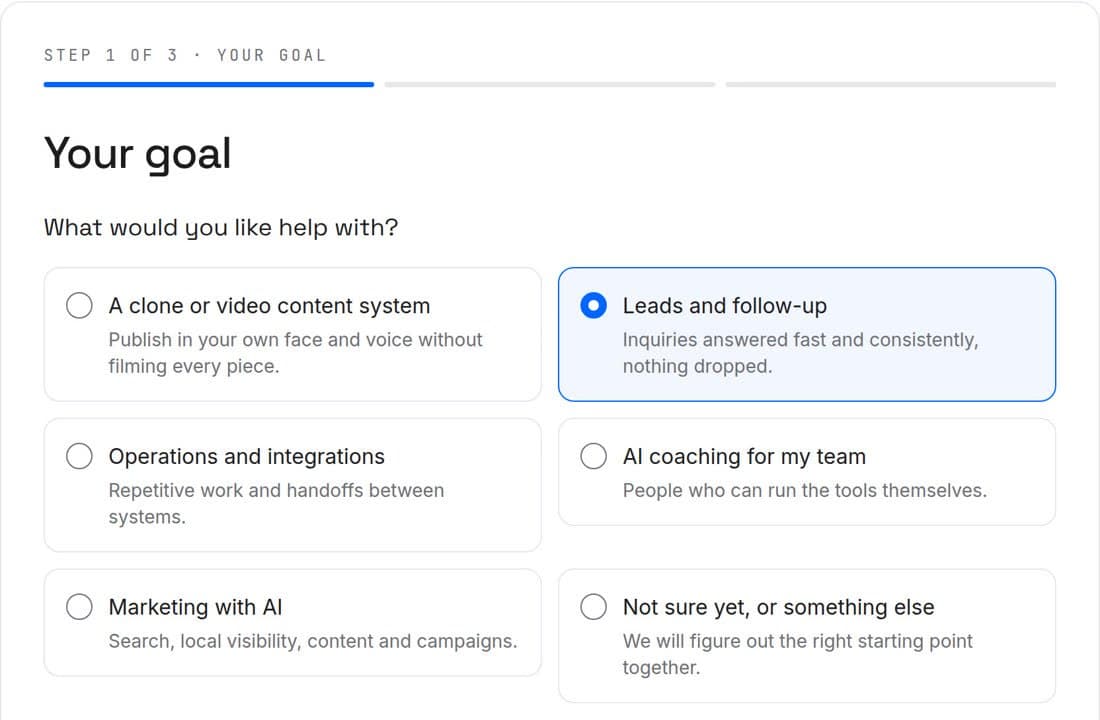
Our own work, on this site
The project inquiry system we built.
Seven questions and four plain-rule checks. No score, and no AI decides.
See the four checks
| Check | Pass | Clarify |
|---|---|---|
| A concrete need | A specific problem | Not yet specific |
| A service we offer | Matches an offer | Wants help choosing |
| Investment fit | Covers the next paid step | Range unknown |
| Decision path | Final decision-maker | Shared or researching |
Production
Founder video, produced end to end.
Every stage has a job and a tool that fits it. You approve the script and the cut; nothing uses your likeness or voice without written consent.
Script
You + Claude
- 0:00–0:06Hook
- 0:06–0:30The one question we ask
- 0:30–0:45Ask
Your idea, drafted into beats. You approve every word.
Voice
Your voice or ElevenLabs
Recorded by you, or a consented voice clone.
Footage
Camera or HeyGen
- 0:00–0:18A-roll: talking to camera
- 0:18–0:30B-roll: the inquiry inbox
- 0:30–0:45A-roll
Your recording, or an avatar of you with written consent.
Motion graphics
HyperFrames
- 0:01–0:05Title
- 0:18–0:29Process diagram
- 0:40–0:45End card
Titles and diagrams rendered in code, easy to revise.
Edit and finish
CapCut
- 0:00–0:45Captions burned in · colour · music bed
Cuts, pacing, captions, colour, music and loudness.
Why AI stalls
AI knows a lot. It doesn't know how your business runs.
How the work really gets done lives in your best people's heads, not in your software. So we write it down first, then build AI on it.
- Your software records sales and invoices, not how work moves from one person to the next.
- General AI knows the world, not your customers, your offers or who does what.
- So new hires guess, AI tools guess, and every guess costs time or a customer.
How we start
- 01Diagnose
Find where the business is stuck.
YOU GETWhere time and money leak, biggest first. - 02Map
Draw how the work really runs.
YOU GETA map of each engine, with an owner on every step. - 03Build
Playbooks, systems and AI.
YOU GETWritten playbooks and checklists, and a ranked list of what to automate first. - 04Install
Hand it to your team to run.
YOU GETYour team and your AI tools working from the same playbook, tracked on a weekly scorecard.
Questions
Owners and teams who want marketing, delivery and day-to-day work to run on clear processes, with AI and automation where they help.
You tell us about the project and how to reach you. A person on our team reads every message and replies with a next step or a question. Nobody is asked to buy anything to have that conversation.
No. We assess your current tools first and keep them when they can do the job. GoHighLevel is recommended only when it's the better fit, and the reasons are written into the scope.
The workflows, prompts, documents and content we make, in accounts in your name. Software such as your CRM is rented from its provider.